
How can I export my order history ?Updated 5 days ago
You can download your complete order history as a CSV file directly from your account.
How to export
Go to My account > Orders.
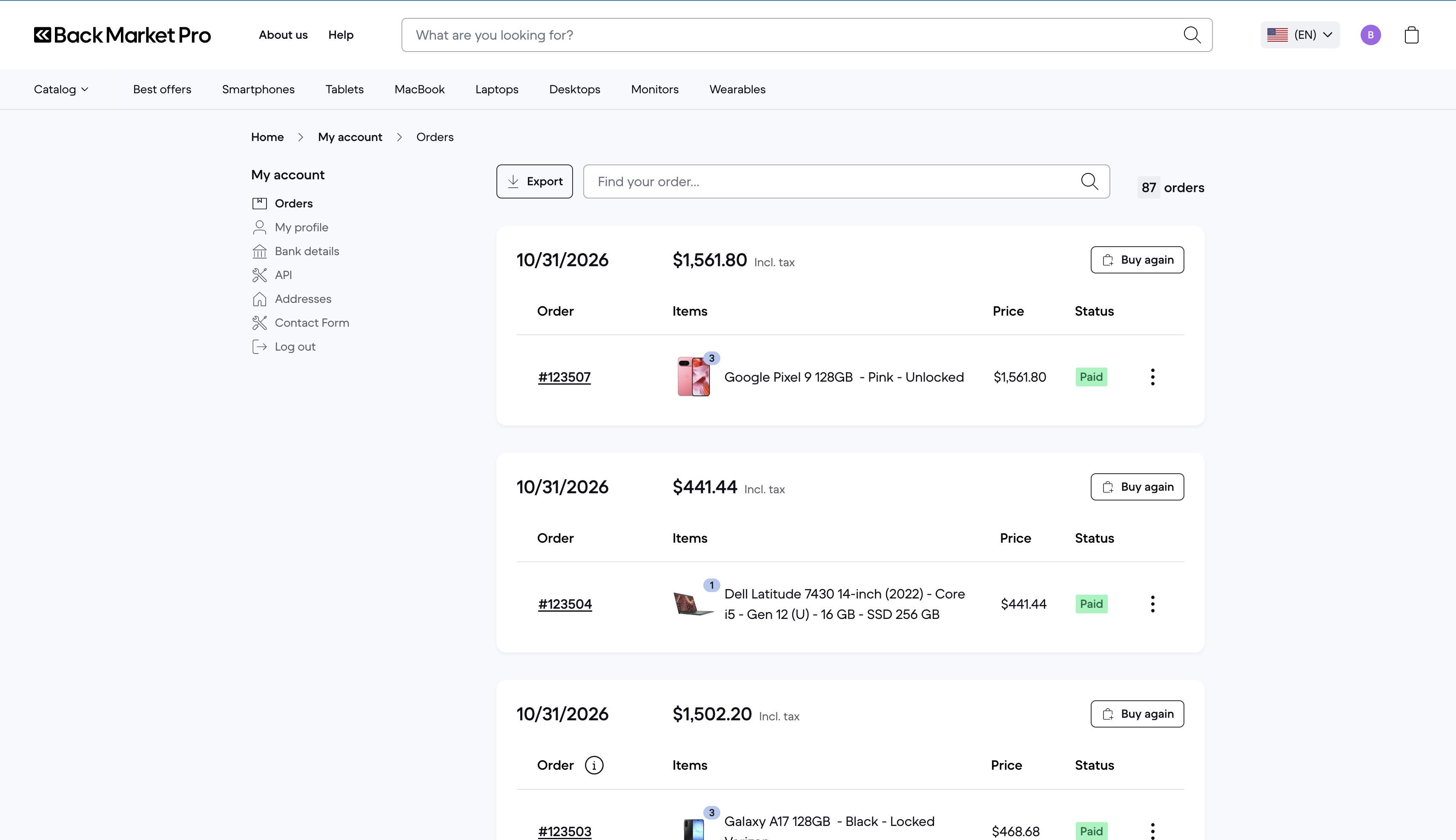
Click Export at the top of the page.
The CSV file downloads to your device and can be opened in Excel, Google Sheets, or any spreadsheet software.
What’s in the file
The export contains one line per order, with the following details:
Order name | Order ID | Order date | Amount | Refunded amount | Net paid | Status | Quantity | Items | IMEI | Billing information | Shipping information |
Good to know
The export covers your full order history, not only the orders displayed on screen.
IMEI numbers are included for every device, which means you can use this file directly for your asset inventory or device management.
The file is generated from your account in real time, so it always reflects your latest orders.